Agree the domain list
Start with domains you are authorized to monitor and the sources included in the service.
For property managers & owners
A certificate expires. Email reports show failed checks. A domain has no recent evidence at all. Bring those findings into a readable report for the person who manages your website and email.
Generated source report · Fictional data · Customer access not open
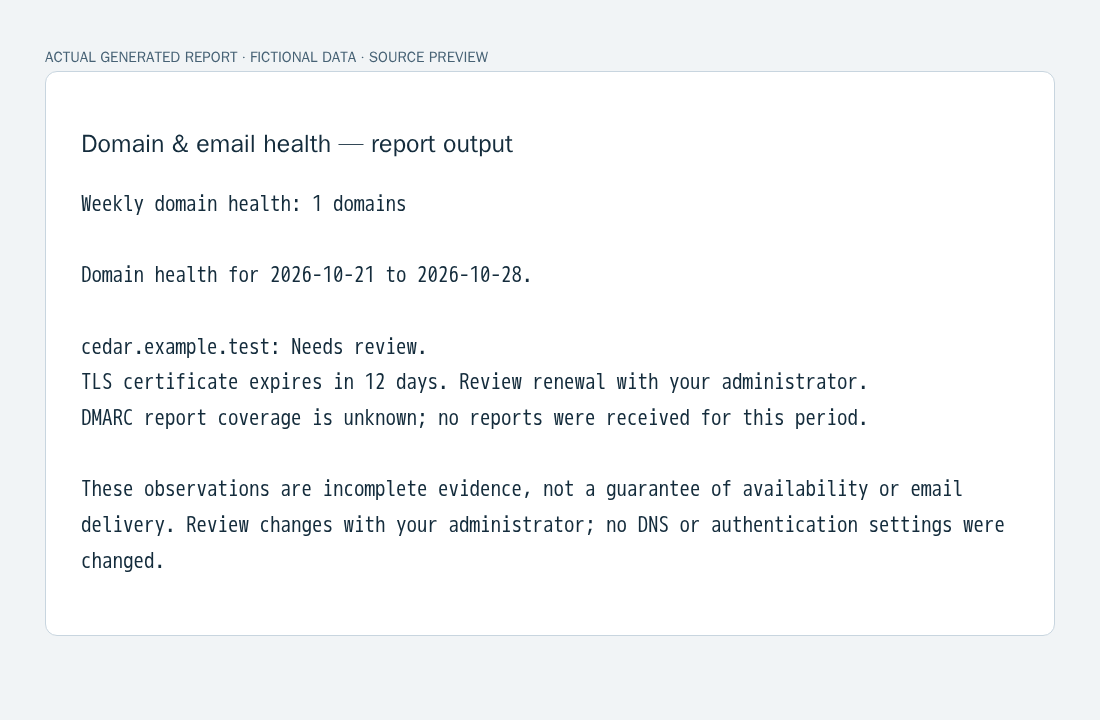 Actual report output in a neutral viewer, not a customer dashboard.
Know what needs a second look
Your leasing website and business email depend on settings that are easy to lose track of. The report puts observed changes and missing evidence together. It helps an administrator decide what to investigate; it does not promise to prevent an outage.
How it works
Start with domains you are authorized to monitor and the sources included in the service.
The source checks observations and processes aggregate email-authentication reports. This preview uses synthetic inputs.
Read the weekly findings with your administrator, including any checks with unknown coverage.
Three views of actual report output
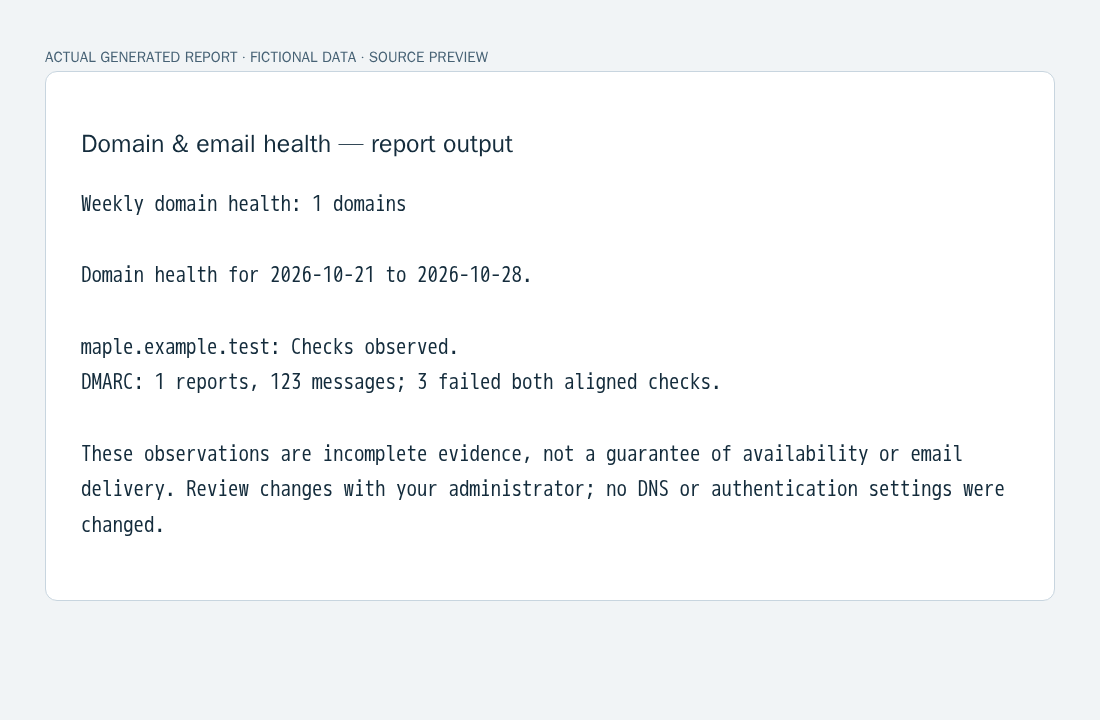
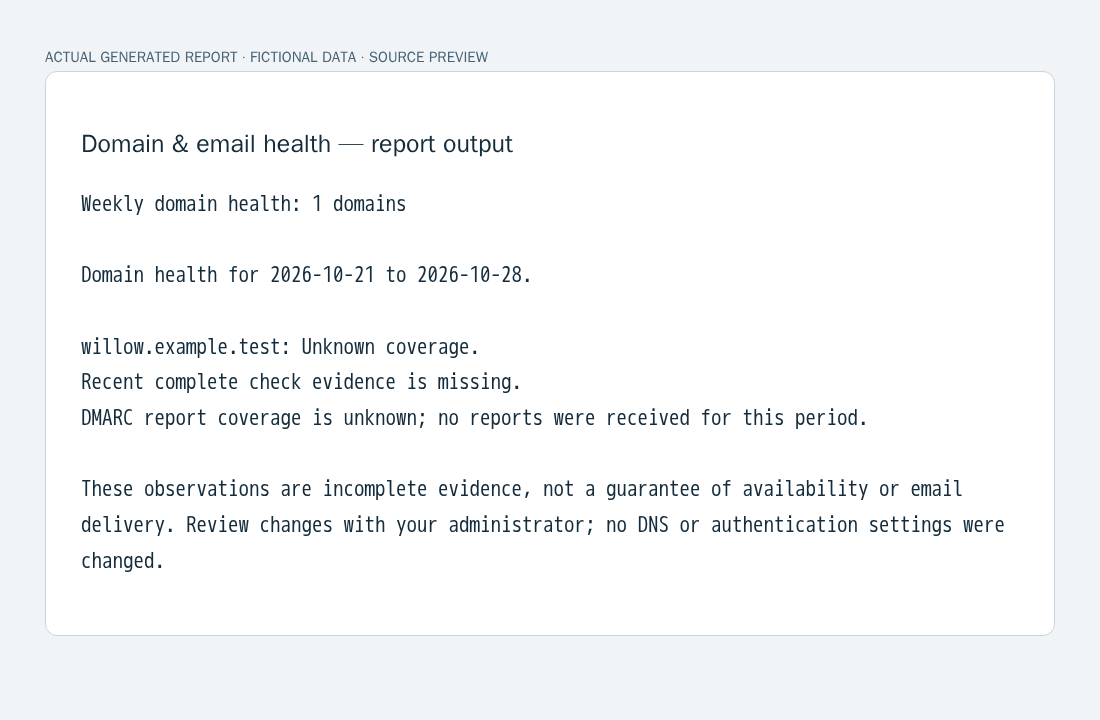
Each image is the exact output of the working report generator with fictional inputs, displayed in a plain report viewer. These are not mock dashboards, customer emails or production monitoring results.
What the source can do
Bring an approaching TLS expiry into the weekly report so your administrator can check renewal.
Build a report for the domains in the agreed scope rather than mixing unrelated accounts.
Source checks compare observed DNS records so changes can be reviewed. No settings are changed.
Aggregate DMARC report counts and identify messages that failed both aligned SPF and DKIM checks.
Group repeated findings by stable issue code instead of printing the same issue for every observation.
Keep missing, stale and unavailable check evidence marked unknown.
Proof you can inspect
The samples show a review finding, aggregated email-authentication counts and an explicit coverage gap. They demonstrate report behavior with fictional data. We do not claim measured time savings, customer adoption or uptime improvements from these samples.
Before you start
Customer onboarding is not open yet. These are actual reports generated by the source implementation from synthetic observations. Authorized live data sources, storage and scheduled delivery still need acceptance.
No. This is monitoring and reporting, not a domain registrar, DNS management service or email-delivery guarantee. Review findings with your administrator.
The source accepts RDAP, TLS, DNS and certificate-transparency observations and DMARC aggregate reports through injected adapters. The preview uses local fixtures; live provider and mailbox connections are not being claimed. No Buildium, Contractor Foreman or Gmail integration is advertised.
The preview contains invented domains and generated observations only. We will provide the applicable data ownership, security, retention and deletion terms before customer enrollment. Monitoring does not authorize changing your DNS or email settings.
We will agree the domain list, authorized sources, DMARC report routing and administrator contact before onboarding. No setup-time promise is made before that process is verified.
The approved launch plan is $9/month for up to five domains. Additional domains require a separate quote; there are no automatic overages. Early-access inquiries create no subscription. The service and cancellation terms will be shown before enrollment.
Early access · $9/month · Up to five domains
Tell us how many domains you manage and who handles your website and email. Additional domains require a separate quote. We will confirm source coverage, service terms and onboarding readiness before enrollment.
Ask about early access ↗No subscription or charge. Do not email passwords, DNS access, reports or confidential information.