Bring in a sample
The demo processes generated invoice documents into structured rows. Live customer intake is not connected.
For property managers & owners
A review workspace for the invoice information your team would otherwise retype. See each field beside its source, resolve uncertain values, and export the rows you have checked.
Working synthetic preview · Customer access is not open
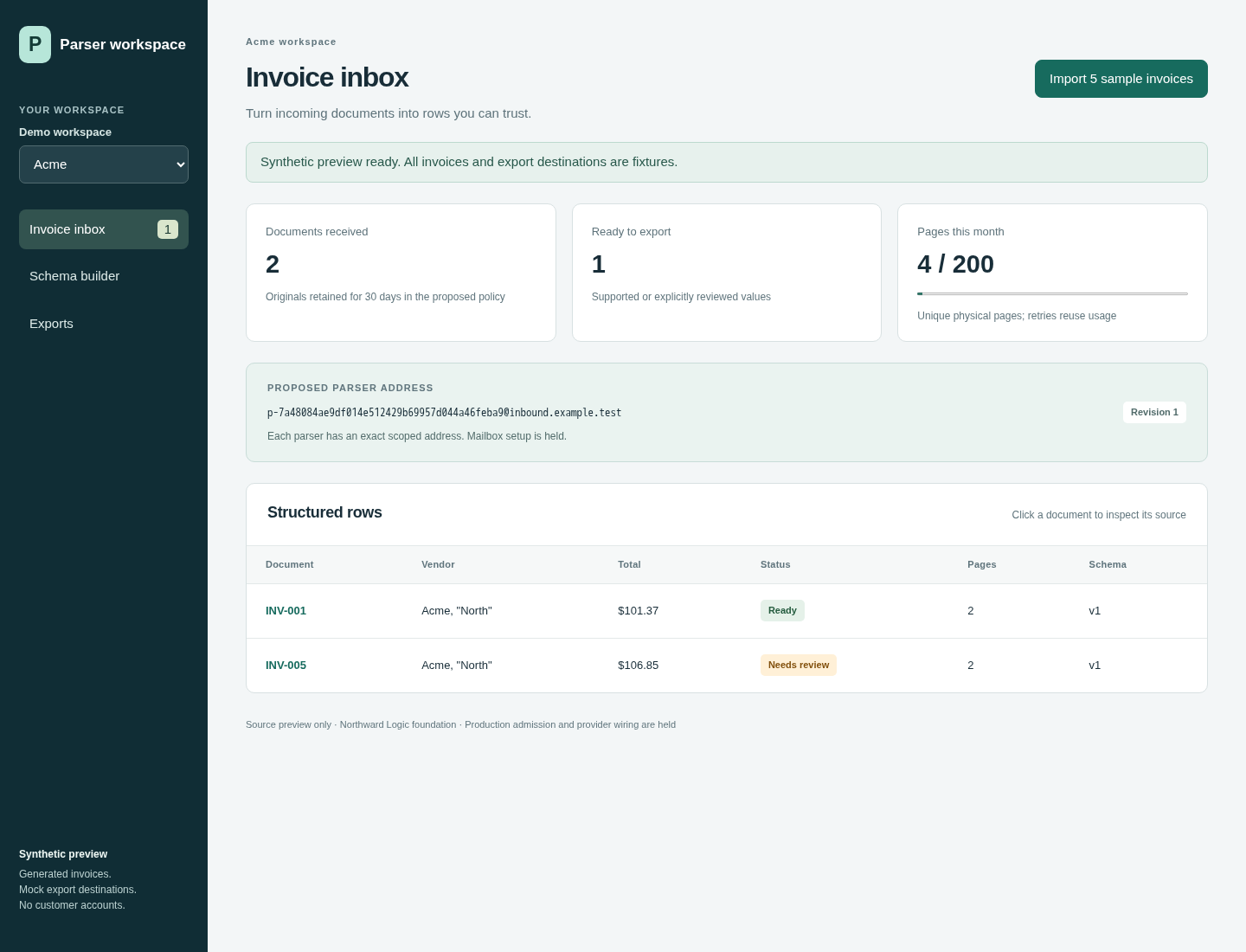 Real screen from the working demo. All data is fictional.
From document to usable rows
Invoices arrive with different layouts, missing details and fields that need a second look. This workspace keeps the evidence with the extracted value, so your team can decide what is ready to use.
The workflow in three steps
The demo processes generated invoice documents into structured rows. Live customer intake is not connected.
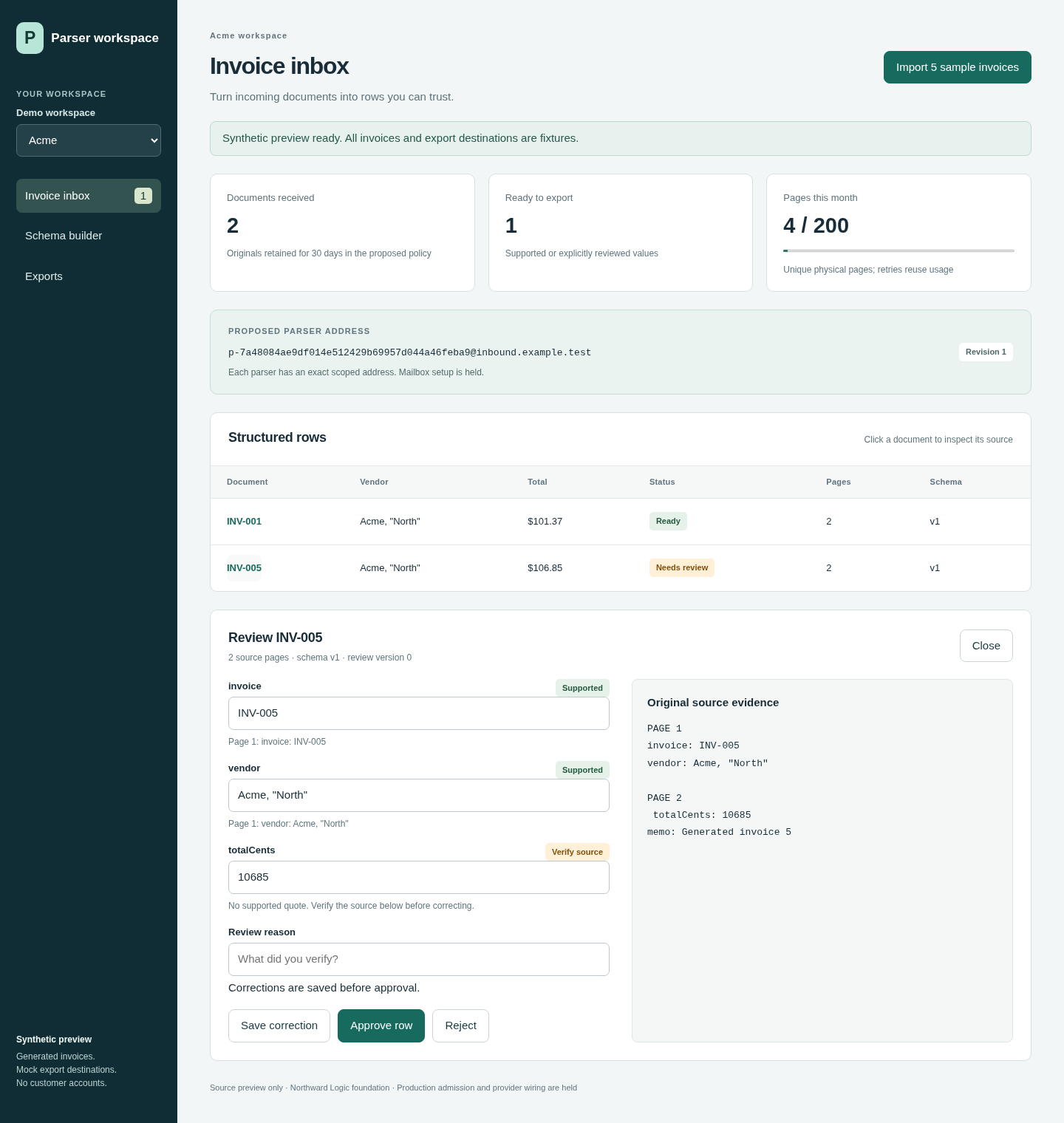
Open a row, compare its fields with the source, and explicitly approve the corrections you checked.
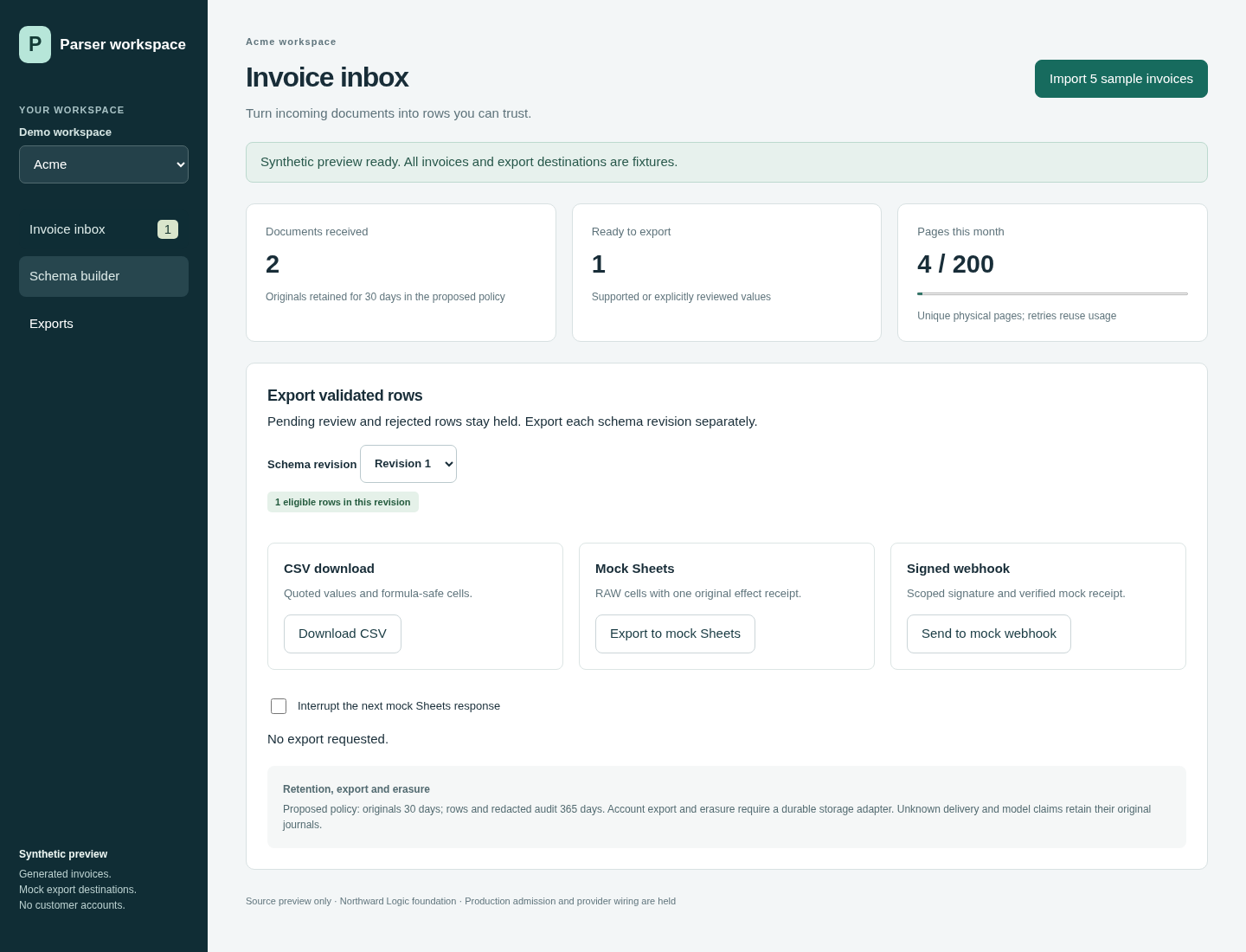
Export eligible rows as CSV. Pending and rejected rows remain held.
Four screens. One review trail.
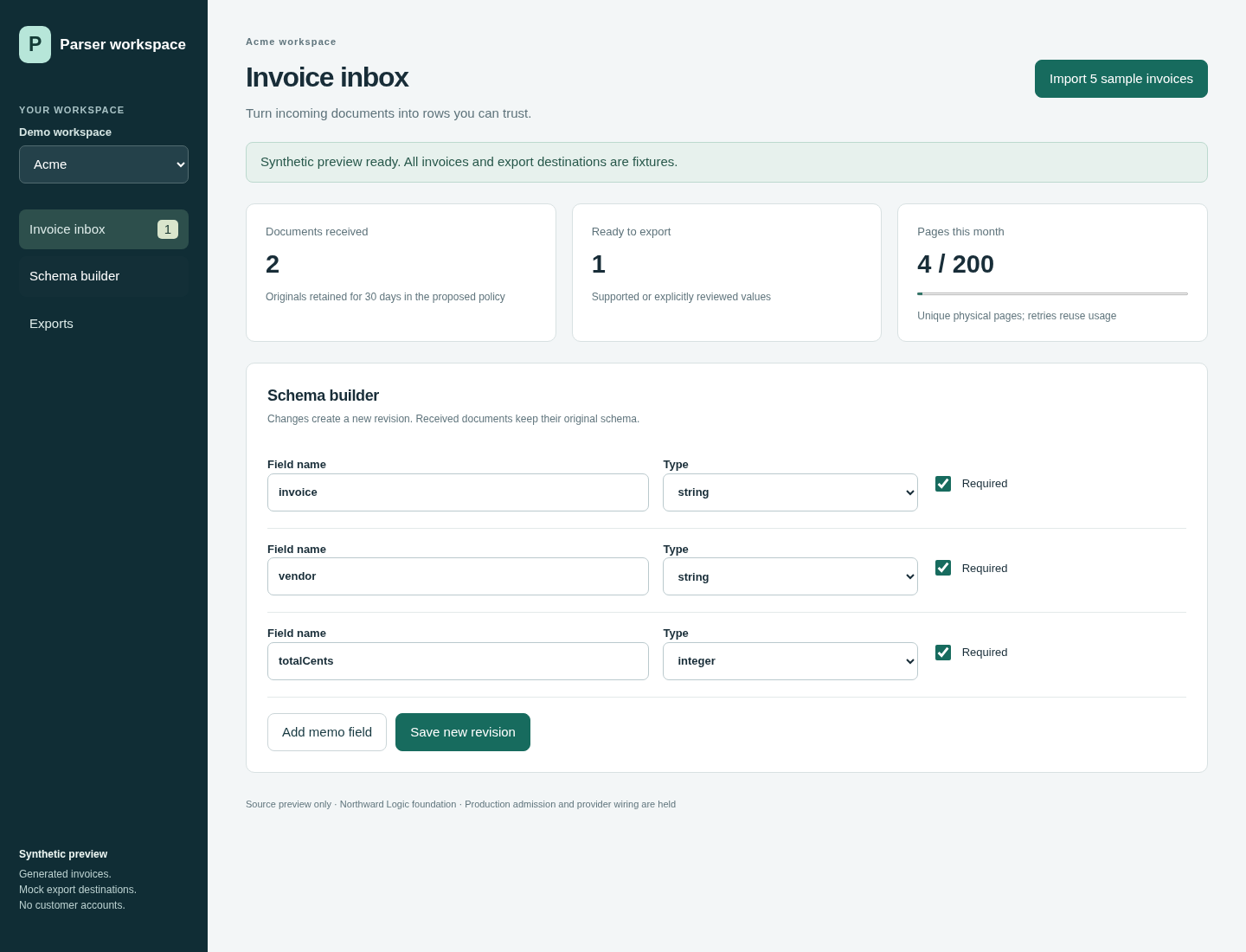
Captured from the executable source preview with fictional data. These are demo capabilities, not a claim that the customer service or its integrations are live.
What the demo can do
See ready rows and rows that need attention without opening each document first.
Check where a value came from before you use it in your records.
Correct a field, record your reason, then approve. Unapproved corrections stay out of exports.
Change your schema without rewriting the interpretation of documents you received earlier.
Download eligible rows from one schema revision. Spreadsheet formula-like values are handled as data.
Repeat an import without turning the same source pages into new usage in the demo.
Proof you can inspect
These screens show the review path in the working demo: check the source, choose your fields and export eligible rows. A synthetic demo demonstrates the controls; it does not establish extraction accuracy on your documents.
Before you start
Not yet. This is a working synthetic source preview. Early-access onboarding, live mail intake and customer storage are still being completed. Please do not send invoices or confidential information when requesting access.
Fictional workspaces, generated invoices and example.test addresses. The screens contain no customer documents or live business data. They demonstrate the review workflow, not production extraction accuracy.
The preview does not take customer documents. Data ownership, permitted processing, retention and deletion terms will be provided before a customer pilot. Those terms are not established by these screenshots.
We will agree the fields, intake method and setup steps with each pilot team before onboarding. We are not promising a setup time until that path is tested.
CSV download works in the synthetic demo. Sheets and signed-webhook exports use mock destinations. Live integrations will be listed only after they are connected and verified.
The approved launch plan is $19/month for 200 pages. Processing stops at the allowance until you approve an upgrade; there are no automatic overages. Early access does not create a subscription or charge. We will show the final service and cancellation terms before enrollment.
Early access · $19/month · 200 pages
Describe the invoice fields your team needs and where the reviewed data should go. The launch plan includes 200 pages for $19/month, with processing held at the allowance until you approve an upgrade. We will confirm the intake scope and final terms before enrollment.
Ask about early access ↗No subscription, purchase or access reservation. Please leave out invoices, payment details and confidential data.